How to Remove Image Backgrounds for Free
Learn how to remove backgrounds from images online and create clean photos for thumbnails, products, and social media.
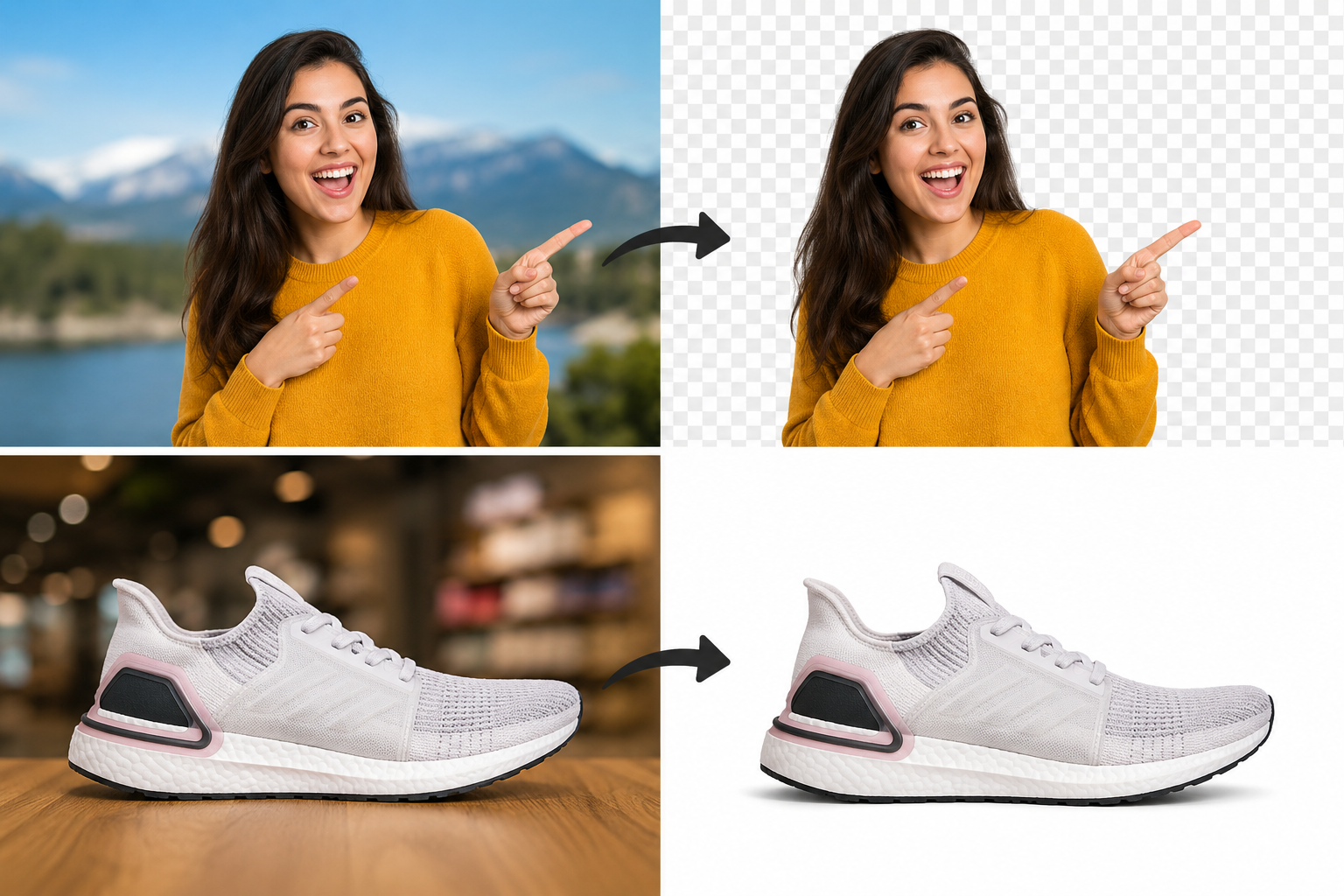
Removing the background from an image is one of the easiest ways to make a design look more professional.
Whether you are creating a YouTube thumbnail, product photo, profile image, or social media post, a clean cutout helps the subject stand out.
Why Remove an Image Background?
A busy background can distract viewers. When you remove the background, you can place the subject on a cleaner design, add better colors, and create a more professional look.
Background removal is useful for:
YouTube thumbnails
Product photos
Profile pictures
Social media graphics
Marketing images
Online stores
What Makes a Good Background Removal Tool?
A good background remover should be fast, accurate, and easy to use.
You should be able to upload an image, remove the background automatically, and download the result in high quality.
Best Uses for Transparent Backgrounds
Transparent backgrounds are useful when you want to place a person, product, or object on a new background.
For example, a YouTuber can remove their photo background and place themselves over a dramatic thumbnail design.
An online seller can remove a product background and place the product on a clean white background.
Tips for Better Results
Use a clear image.
Avoid blurry photos.
Use good lighting.
Choose photos where the subject is separated from the background.
Final Thoughts
Removing image backgrounds makes your designs cleaner and more professional.
Use Pixores Background Remover to remove backgrounds quickly and create better thumbnails, product photos, and social media images.
Learn more in How to Create a YouTube Thumbnail.
Try the Pixores Thumbnail Maker.