Favicon Sizes in 2026: Files Your Website Actually Needs
Create a practical favicon package for browser tabs, bookmarks, Apple touch icons, Android devices, and web app manifests.
Why one tiny icon is not enough
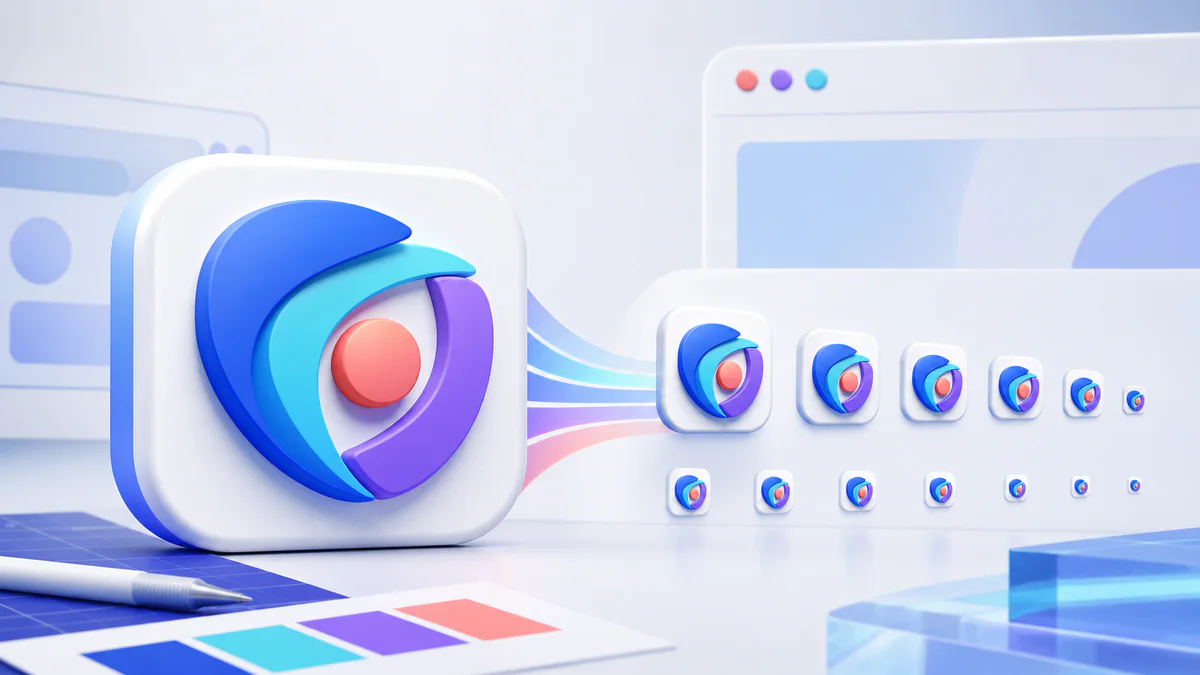
A favicon appears in browser tabs, bookmarks, history, search interfaces, shortcuts, and installed web experiences. These surfaces do not all use the same dimensions or file type. A small package of carefully generated assets is more reliable than stretching one 16-pixel image everywhere.
Start with a square master
Use a clean square source of at least 512 × 512 pixels. Simple shapes and strong contrast survive reduction better than thin lines, tiny words, or detailed illustrations. Leave safe space around the symbol so it does not touch the edges when a platform applies rounded corners or masks.
The master should be an original brand asset you have permission to use. Avoid copying another product's icon or browser mark.
Practical favicon files
- favicon.ico containing common small browser sizes
- favicon-16x16.png for compact browser interfaces
- favicon-32x32.png for higher-density tab and shortcut use
- apple-touch-icon.png at 180 × 180 pixels
- android-chrome-192x192.png for Android shortcuts
- android-chrome-512x512.png for higher-resolution install surfaces
- site.webmanifest describing the app name, colors, and icons
Not every site needs an installable web app, but including a valid manifest and appropriate icons creates a more complete package.
ICO and PNG have different roles
ICO is a container format traditionally used for browser favicons and can include several small resolutions in one file. PNG is easier to inspect and is commonly referenced for explicit sizes and touch icons. Keeping both provides a useful compatibility layer without adding meaningful page weight because the assets are tiny and cached.
Do not simply rename a PNG file to .ico. The file contents must match the format. A favicon generator creates the actual encoded assets and the corresponding manifest instead of changing extensions.
Generate the package
Upload your square master to the Pixores favicon generator. Download the generated files and place them in the public root of the website. Keep filenames predictable unless your HTML and manifest intentionally reference different paths.
Add the HTML references
Your framework may generate icon links from metadata configuration. In plain HTML, link the ICO, PNG sizes, Apple touch icon, and manifest in the document head. Confirm that the final production URLs return successful responses and the declared MIME types are sensible.
Design for tiny sizes
Inspect the 16 × 16 version directly. If it turns into an indistinct blur, simplify the master or create a small-size variant with fewer details. Transparency can help a symbol adapt to different browser themes, but check the icon on light and dark backgrounds.
Help search engines recognize the icon
Keep the favicon crawlable, stable, and representative of the website. Google's current guidance requires a square favicon, supports files of at least 8 × 8 pixels, and recommends a size greater than 48 × 48 pixels. Search engines choose whether and when to display it, so a correct file does not guarantee immediate appearance. Verify implementation details in Google's favicon documentation and maintain consistent branding across the favicon, header logo, structured data, and site name.
Account for browser themes and masks
Test the icon on white, dark gray, and colored backgrounds. A transparent dark symbol may disappear in a dark browser theme, while a white symbol can vanish on a pale surface. A contained shape with an intentional background often behaves more predictably.
Keep essential artwork inside a central safe area. Some devices round corners or apply masks to shortcut icons. Details placed against the edge may be clipped even though the original square file looks correct.
Test after deployment
- Open the favicon URL directly
- Hard-refresh the site or use a private window
- Check desktop and mobile bookmarks
- Validate the web manifest
- Confirm all declared icon files exist
- Allow time for browser and search caches to refresh
Final recommendation
Create one strong square master, generate the standard small and device sizes, reference them consistently, and test the deployed URLs. A favicon is tiny, but consistency helps users recognize the site across many surfaces.
Reproducible field check
Actual-size favicon inspection
Judge the asset in the smallest real browser context, not only from its 512-pixel master.
Procedure
- Open the 16- and 32-pixel files at 100 percent zoom.
- Check the mark on light and dark browser-like backgrounds.
- Verify every declared production URL and the web manifest.
Record these observations
- Asset size
- Background
- Recognizable shape
- Production status
- Manifest reference
Pass condition: The smallest mark remains recognizable and every declared icon returns successfully after deployment.