JPG vs PNG: Quality, Transparency, File Size, and the Right Choice
Compare JPG and PNG by image type, transparency, repeated editing, browser use, and export workflow instead of choosing a format by habit.
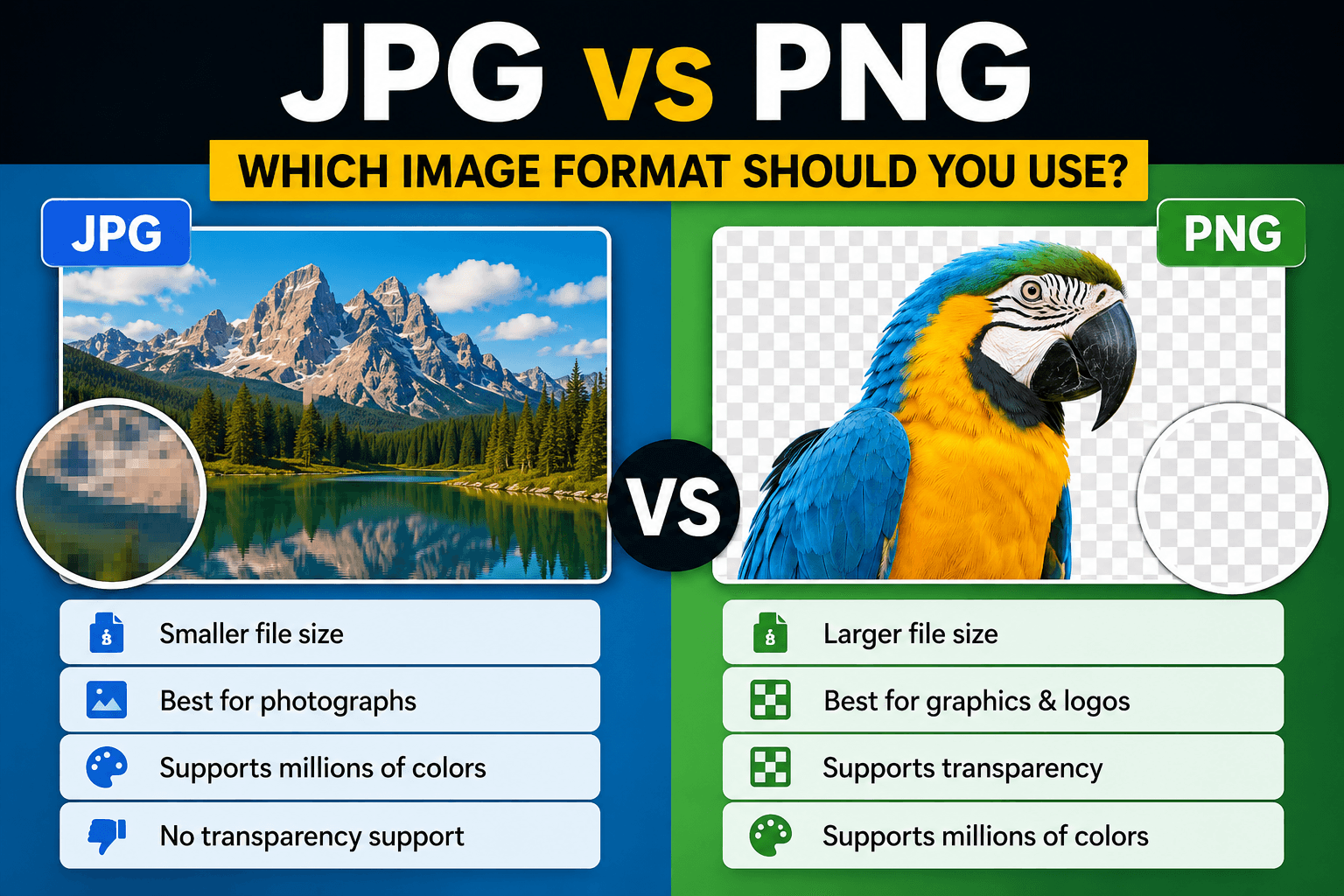
JPG and PNG solve different image problems. JPEG is designed to compress continuous-tone photographs efficiently by discarding some visual information. PNG uses lossless compression and supports transparency, making it better suited to interface graphics, logos, screenshots, diagrams, and intermediate files that must retain exact edges.
The correct choice depends on the image, the editing stage, and the destination. “PNG is higher quality” and “JPG is smaller” are incomplete rules because a format can be technically capable yet poorly matched to the content.
How JPEG compression behaves
JPEG divides an image into blocks and represents visual information in a way that can discard detail the encoder considers less noticeable. This works well for photographs containing gradual changes in color and brightness. It works less well around small text, hard geometric edges, flat color fields, and repeated high-contrast patterns.
At an appropriate quality setting, a JPEG photograph can be much smaller than an equivalent PNG while looking nearly identical at normal viewing size. At aggressive settings, artifacts appear as blockiness, ringing around edges, smearing, or lost texture. Repeatedly opening and saving a JPEG can introduce additional loss, so retain a master and create delivery copies from it.
JPEG does not provide general-purpose alpha transparency. Areas that appear transparent must be flattened against a chosen background color before export.
How PNG compression behaves
PNG preserves decoded pixel values rather than intentionally discarding image detail. It handles repeated colors, sharp boundaries, text, line art, and UI screenshots efficiently. It also supports an alpha channel, allowing pixels to be partially or fully transparent.
Lossless does not mean small. A large photographic PNG can be several times larger than a visually similar JPEG or WebP because the encoder must preserve complex pixel variation. PNG is valuable when those exact pixels or transparent edges matter; it is not automatically the best delivery format for every image.
Choose JPG for these cases
- Camera photographs without transparency.
- Blog and marketing images where transfer size matters.
- Email attachments that must work in older software.
- Final delivery copies where a suitable quality setting has been visually reviewed.
Avoid JPEG for a logo with transparent edges, a screenshot dominated by text, or a file that will undergo many editing and saving cycles.
Choose PNG for these cases
- Logos, icons, diagrams, and interface graphics.
- Screenshots where text and thin lines must stay crisp.
- Cutout subjects that require a transparent background.
- Intermediate raster assets that will be composited again.
- Images with limited palettes or large flat-color regions.
Avoid using PNG as a reflex for full-resolution photographs on a web page. Test a photographic format and compare the visual result at the actual display size.
What happens during conversion
Converting JPG to PNG stops further JPEG loss in the new file, but it cannot restore detail already discarded by the JPEG encoder. The PNG may be much larger while containing the same visible artifacts as the source. Use JPG to PNG when you need compatibility with a PNG workflow or plan to add transparency, not as an automatic enhancement method.
Converting a transparent PNG to JPG requires replacing transparent pixels with a solid background. Confirm the intended background before conversion; otherwise transparent areas may become black, white, or another unintended color depending on the software. Use PNG to JPG for photographic delivery after reviewing the flattened result.
A repeatable comparison method
Use one representative source and export both candidate formats. Then compare:
- File size on disk.
- Visible quality at the final display dimensions.
- Text and edge clarity at 100 percent.
- Transparency behavior on light and dark backgrounds.
- Compatibility with the destination platform.
- Whether another editing pass will be required.
Do not compare a maximum-quality PNG only against a heavily compressed JPEG and treat the outcome as universal. Export settings are part of the format decision.
Where WebP and AVIF fit
Modern formats can provide smaller photographic files and, in some cases, transparency. They are useful for web delivery when the target browsers and publishing tools support them. JPEG and PNG remain important as widely compatible inputs, editing assets, and fallbacks. For format capabilities and compatibility details, consult MDN's image file type guide.
For a broader delivery comparison, read WebP vs AVIF vs JPEG. For social-platform workflows, see Best Image Format for Social Media.
Practical decision table
- Photograph, no transparency, small delivery file: start with JPG or WebP.
- Logo or cutout with transparency: use PNG or a supported transparent modern format.
- Screenshot with text and UI: start with PNG and compare an optimized WebP if needed.
- Working file for another composition: keep PNG when exact pixels and alpha matter.
- Archive or camera master: preserve the original format rather than treating either conversion as an archive upgrade.
The best format is the one that preserves the information users need while meeting the destination's size and compatibility requirements. Keep the source, export deliberately, and inspect the actual result instead of relying on the file extension alone.
Reproducible field check
One-source format comparison
Choose a format from evidence produced by the actual image instead of a universal rule.
Procedure
- Export one representative source as JPG and PNG at the required display dimensions.
- Compare file size, text and edge clarity, and transparency behavior.
- Open both files in the destination workflow before selecting the delivery copy.
Record these observations
- File size
- Dimensions
- Transparency
- Visible artifacts
- Destination compatibility
Pass condition: The selected file preserves the information users need with no unnecessary transfer or compatibility cost.